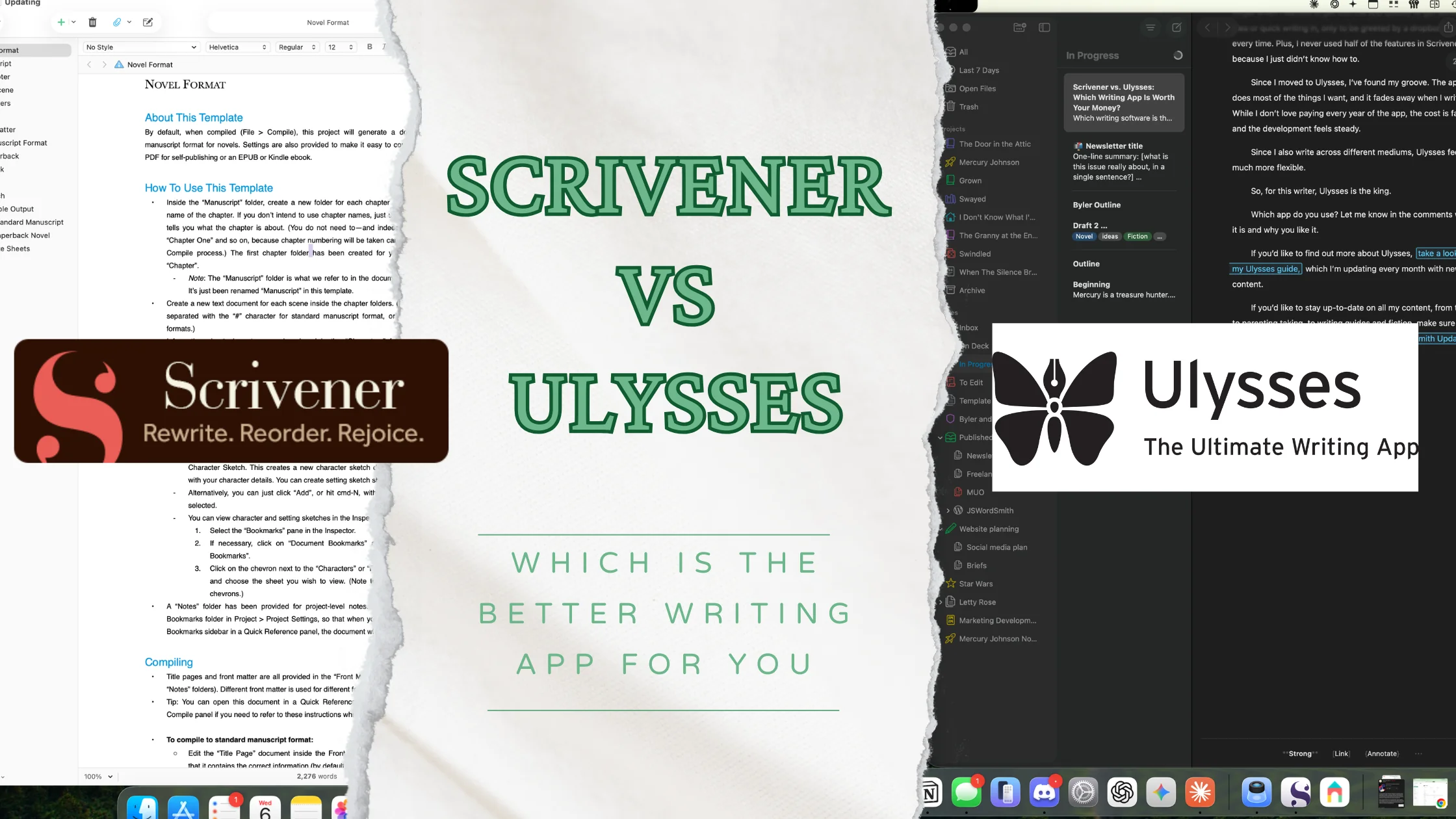
Which writing software is the best for most authors? It’s time to throw down in Scrivener vs. Ulysses.
For the longest time, writing software always kicked off a creative spark in me. My output after discovering something new brought new structure ideas and excitement to discover new features.
When I found Scrivener, I loved it. It changed the way I wrote. Instead of just writing a long Word document, I found that I could break up my writing into smaller chunks, which would help me organize my thoughts better.
But Scrivener stopped working for me. For the longest time, I became an iPad-first user. I waited forever for the Scrivener iPad app and when it came, it wasn’t the same. I also grew frustrated with the syncing feature between all the different Scrivener apps.
Eventually, through writing for the web, I moved over to Ulysses. I didn’t realize, but after using Ulysses for a few years, I stopped looking for a new app. Now, I have a great system to organize my writing, and using the app has melted away. It feels like second nature, something Scrivener never truly did.
Here’s why I moved from Scrivener to Ulysses for my writing, and never looked back.
Both Ulysses and Scrivener are writing apps that allow you to write in ways different compared to a normal word process like Microsoft Word or Apple Pages.
These apps are designed with features for writers. These features can help authors breakdown larger works and offer things authors might need like goal setting and word counts.
Both Scrivener and Ulysses offer some of the same features.
Break Down Larger Pieces
Both apps allow you to create multiple documents in one and stitch them together when you’re done. This feature allows authors to focus on smaller sections at a time, which helped me not get overwhelmed by the larger piece.
Breaking things into smaller chucks helped me focus more on the story. I could worry about one scene at a time, or look at the piece in totality. I could make different sections for each element in a chapter. If I had different story threads running through, I could make a smaller section for each one of them.
Move Scenes Around
Since I could chop up my story, I could also move the scenes around. If I felt a chapter might be better coming earlier, I could simply drag the folder, group, scene, or sheet around to readjust it. When I looked at the larger scene, it would move that section without me having to cut and copy.
Goal Setting
Both apps also offer goal setting with multiple options.
I loved using Scrivener during the now defunct NaNoWriMo, where you tried to get 50,000 words during the month of November. Scrivener allows you to put a project goal and end date, and then would actively help you track how much you had to write during the day to meet your goal.
Ulysses offers that plus daily goals to meet. Check out how to set a goal in a sheet or group. I found having a daily writing goal has really boosted my productivity.
Export to Various Formats
Both apps also excel at exporting your drafts. Many writers like to export from the apps to a Word document to do final edits there, which would then get sent on to an editor. Both apps allow you to customize that export.
Of course, they offer more than just word export, with a handful of export formats and options. Scrivener’s export offered so many options that I would frequently get intimidated by them.
Things Scrivener Can Do That Ulysses Can’t
While I landed on Ulysses, Scrivener offered some features that make it so valuable.
There are many other features that Scrivener offers that I never delved into or learned how to do. Scrivener is so full-featured that there are courses on how to use some of these features. But that felt like that can be a problem too.
But the following are the features I miss the most from moving from Scrivener to Ulysses.
The Index Cards

I spent too much time in Scrivener looking at the Note Card view. Scrivener offers a cork-board that allows you to see your scenes as note cards. You could write notes about the scenes, move them around, and then click into them to begin writing.
I used this all the time to draft out my story from beginning to end, and then to develop my chapters. I would even color code them to help me understand what was happening inside them.
If there’s one thing that I really miss from Scrivener, it’s the cork-board. I have found ways to brainstorm and organize my writing in Ulysses, but that cork-board is something I really miss.
Screenwriting
I used to dabble in screenwriting. I loved that Scrivener offered a screenwriting mode inside the editor, since screenwriting software can be an extra cost.
While I haven’t worked on a screenplay in a while, there still is that spot in the back of my mind that I’d like to write a movie one day. Sadly, I won’t really be able to do that in Ulysses.
Screenplays have a unique format and in Scrivener it’s easy to access, use, and see on the page. It was also easy to move between the different elements in Scrivener (like scene headings, characters, and dialogue), just like in something like Final Draft.
While you can’t get Ulysses to visually show you a script format, you can get an export setting for it. However, you’ll have to learn the format to type it in, and I’d imagine I’d have too many issues remembering what those are.
Colorful Revision Mode
Another thing I loved about Scrivener that I haven’t found a way to replicate in Ulysses is the revision mode.
In Scrivener, you can select which revision you’re one and any changes made during that revision will show up in different color text. This allowed me to see what I had actually done during revisions, which I found especially important when revising a larger document.
Ulysses does offer versions, but when you’re editing, you don’t get that same visual stimulus of different colors.
There are several other features that Scrivener offers, but these were the ones I used the most. As I mentioned, there are course you can take on using Scrivener or you can play around with it.
Things Ulysses Can Do That Scrivener Can’t
While those seem like major blows to my writing ecosystem, Ulysses still does so much that scrivener doesn’t.
Here are some of the Ulysses features Scrivener doesn’t have.
Markdown
The first is Markdown.
It might seem like a little thing, but Markdown has become a pretty valuable writing syntax for writing on the web. Instead of using stylistic markings, you put symbols and in and around the text. This allows for easier uploading to the web, as most web services use Markdown.
You can still use the keyboard shortcuts you’re used to, like cmd+B to bold your words, so you shouldn’t lose that muscle memory.
The thing I like about Markdown is that my hands don’t have to leave the keyboard when I’m in the flow. I can make headings, which turn into outlines, and I can leave myself notes in my text, instead of a sticky note like note hanging out to the side. I have these notes show up in red so I can see them as I edit or scan through the text.
Cross-Device Sync and Consistency
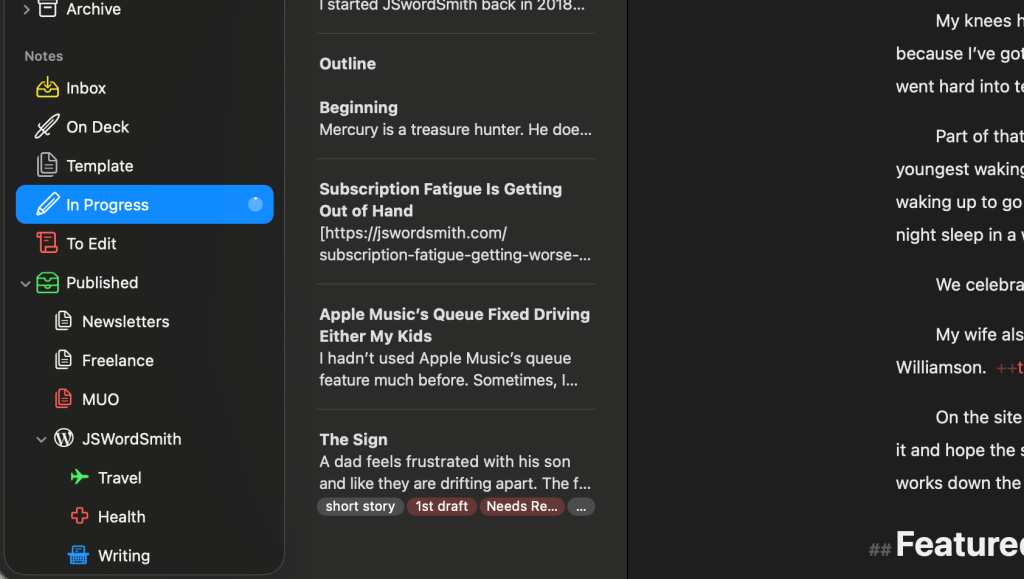
I never have to worry about syncing in Ulysses, it just happens.
I have never run into a problem where my work didn’t sync between devices.
With Scrivener, not only did you have to wait forever for the mobile apps to sync with dropbox, but you also couldn’t have the file opened on more than one device.
That has never been an issue with Ulysses. I’ve frequently left my Mac mini to write on my iPad or MacBook and never closed Ulysses. When I return to my desk, Ulysses on my Mac mini has updated with all my work.
Library Management
I also love that all my work is stored in the Ulysses app. I don’t have to go search my computer for files or folders to get my work. Furthermore, I have developed an organizational system inside my Ulysses library, so everything is easy to find. Plus, it has a solid search option, that will look for my sheet anywhere inside the app.
Now, I have a place for all my ideas, my works-in-progress, and my finished work, all inside the app.
Upload to WordPress or Ghost
Since I do all my writing inside the app, once I finish a blog post, I can click a button to upload it directly to my WordPress site.
There is no friction like there can be when you copy text over from an app like Scrivener or Word. All my titles and embedded links show up, and all I have to do is confirm that they work correctly.
I’ll give it a quick scan inside WordPress and then schedule it for publication. These publish buttons reduce the number of things I have to do as a content creator.
It’s also worth keeping an eye on what Apple itself is building into iOS and macOS for writers — proofreading tools and Siri-assisted writing were both part of the WWDC 2026 announcements, and how those play with apps like Ulysses could shape my workflow going forward. I cover what’s coming in my WWDC 2026 for writers roundup.
Who Is Scrivener For?
Users will purchase Scrivener, instead of subscribing to it. That one-time purchase can be a big pro with users, especially ones trying to build the cheapest writing setup. That said, while Scrivener does update the app, I found them very infrequent, especially on the mobile app side of things.
While it is easy to learn, writers who don’t want to have to deal with learning Markdown might choose Scrivener over Ulysses. While Ulysses can use the same keyboard shortcuts to style the words, it can take some getting used to.
Scrivener is for authors who have large writing projects and live a one device life. If you don’t need to sync your work across devices, I doubt that you’ll ever really run into the bottlenecks I did that drove me away from the app.
Who Is Ulysses For?
Ulysses is for authors who work on multiple different Apple systems, like to keep all their writing in one app, or might need to write for the web as well as their fiction.
Check out my guide for writing fiction and blog posts, where I show my entire workflow for each.
The app is lite, fast, and modern.
Ulysses is subscription-based. Personally, I prefer the one-time purchase to a subscription, but I make an exception for Ulysses.
Ulysses only costs $40 for an entire year, and I like to know that my money is going to help make the app even better.
That said, if you sign up with my link, you can save 25% off the first year while also supporting the site. It doesn’t make the fact that you have to pay yearly better, but it does help. Plus, I use Ulysses every day, so I feel like I get my money’s worth.
Ulysses also gets updated more frequently than I ever notice Scrivener updating. While I don’t like the subscription model, it does seem to allow the developers to put more resources into development.
Scrivener vs. Ulysses: Who Wins?
I loved Scrivener for the longest time, but it felt like I was trying to get the app to do things it couldn’t do well. I’ll never forget when I wanted to get into the app quickly to get some idea or quick writing in, only to be greeted by a dropbox sync every time. Plus, I never used half of the features in Scrivener because I just didn’t know how to.
Since I moved to Ulysses, I’ve found my groove. The app does most of the things I want, and it fades away when I write. While I don’t love paying every year of the app, the cost is fair and the development feels steady.
Since I also write across different mediums, Ulysses feels much more flexible.
So, for this writer, Ulysses is the king.
Which app do you use? Let me know in the comments what it is and why you like it.
If you’d like to find out more about Ulysses, take a look at my Ulysses guide, which I’m updating every month with new content. I also have a hub for writing with all my tips, exercises, and guides.
If you’d like to stay up-to-date on all my content, from tech, to parenting taking, to writing guides and fiction, make sure you subscribe to my weekly newsletter, The JSwordSmith Update. The only place you can get my exclusive content.

Leave a Reply