This year, I watched Apple’s World Wide Developer Conference with a different look. I focused on the announcements from WWDC 2026 for writers. I wanted to see what new features Apple would introduce to the iPhone, iPad, and Mac that could help those trying to craft words and stories.
For the first time, watching WWDC felt less inspiring and more conflicted.
This year’s WWDC was dominated by Artificial Intelligence and smaller updates to the systems. Still, after watching the keynote and scouring through Apple’s OS previews, these are the features announced at WWDC 2026 that might pique a writer’s interest.
AI Everywhere
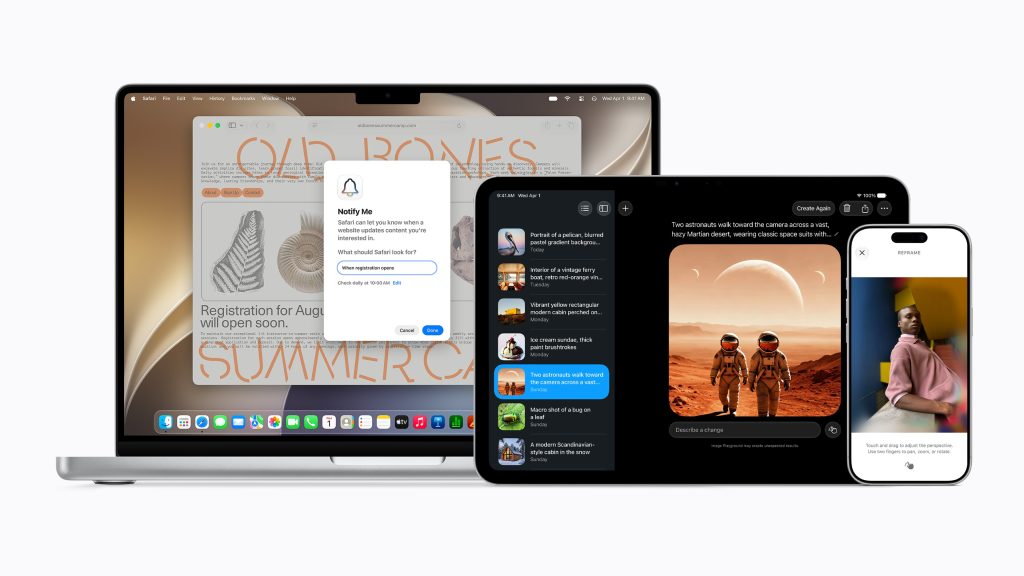
Instead of discussing updates to the iPhone, iPad, and Mac, operating systems, this keynote covered three different topics: Platform improvements, trust and safety, and Apple Intelligence & Siri. Apple blew through the platform improvements and safety sections, and spent most of the video on the meat of this year’s conference: AI features and improvements to Siri.
For writers already invested in the Apple ecosystem, every tool announced touches AI in some way. You’ll have to consider its worth as you enable or explore these features on your own.
Write With Siri And Proofread As You Type
With Apple’s last attempt at AI, they brought writing tools. The feature was mostly hidden and challenging to discover, not to mention, it didn’t do much but rewrite things.
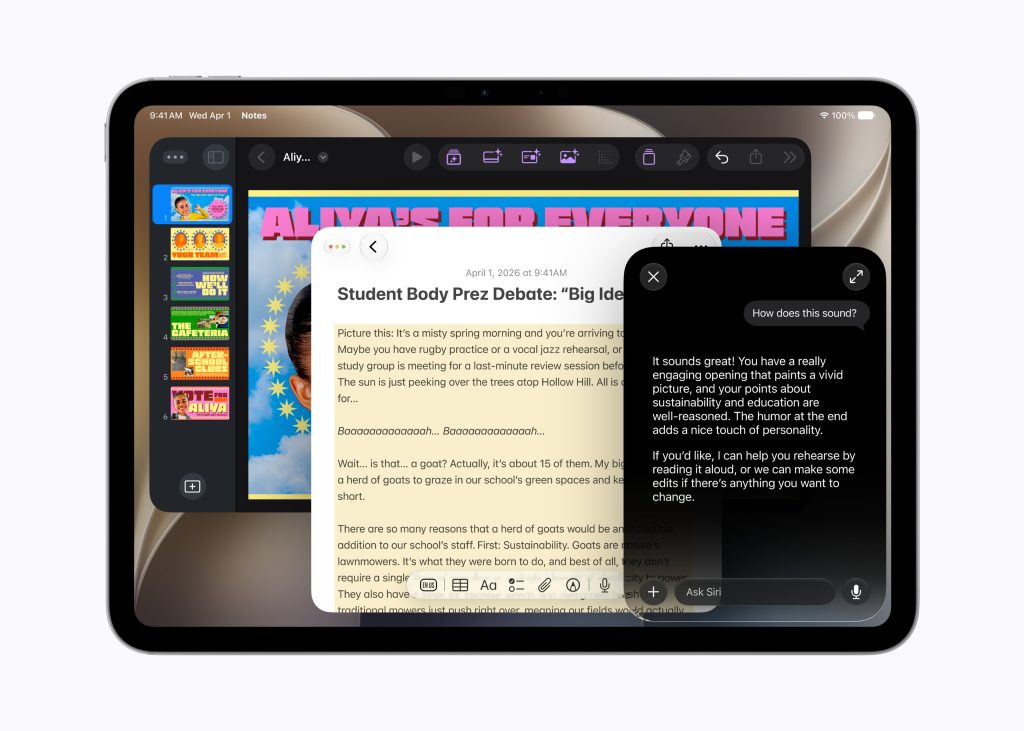
Now, we’ll have Write with Siri. Anywhere you can type, you’ll be able to bring up the dialogue box with a cmd+click and select Write with Siri. There, you’ll find a text box you can type what you want into. Siri will then help you create a document, while using the way you usually write.
When you ask Siri to create something, it will try to match your style. They used the example of writing an email to your boss, which typically uses bullet points, when using Write with Siri, the email will include bullet points.
There’s also Proofread as you type, which is supposed to monitor your typing and surface errors—though it’s not fully active in my beta yet, as I’m still on the Siri AI waitlist. Words are getting underlined in blue as I’ve worked on this on my beta devices, but there isn’t an option to see why or correct things.
If you are using a feature like Grammarly, I’m curious to see if this will be able to replace that. It would be nice to have a better grammar checker, especially system-wide.
Expand A Photo
As I blog about my real life, I’m often using my personal photos in my posts. More than once, I’ve found a photo that, I thought, would work great for an article, but it was taken in portrait mode instead of landscape (which is better for posts). Try as I might to edit a photo, sometimes I can’t crop it right because there’s not enough of the photo where I need it.
Apple will allow me to use AI to fix this in the photos app using the Extend tool. Your device will analyze the picture and try to expand the edges of your photos.
If it works as advertised, it solves a problem I run into constantly.
Safari Tabs Groups
Safari tabs are also getting a few new features with AI. The main one will have your device categorize your open tabs in groups to make them easier to tame.
For writers, I think this can really help. I could use it for my website pages and research tabs—it will be nice to have everything in one group without having to remember to move to the tab group manually.
Improved Dictation
Apple mentioned how much better the dictation will be on this new Siri system multiple times.
I don’t use dictation when I’m writing, it’s not how my brain works, but everything I’ve heard, this should be an upgrade for those authors who do use it. I don’t think the new dictation comes unless you have the most current devices and have Siri AI enabled.
Shortcuts Could Help
Users will be able to create shortcuts by describing what they want to happen. Your device will parse the language and figure out ways to accomplish that inside shortcuts.
I don’t use shortcuts, but I always want to. But I can never figure out what I would like to automate or how to make what I want work.
One thing I would like to create is a shortcut that will create a Ulysses sheet and an entry in notion, so I don’t have to remember to create it there. I haven’t been able to find the right system to do that.
That Ulysses/Notion shortcut I’ve been trying to build manually? This might finally be how I get it done.
Broad World Knowledge Through Siri
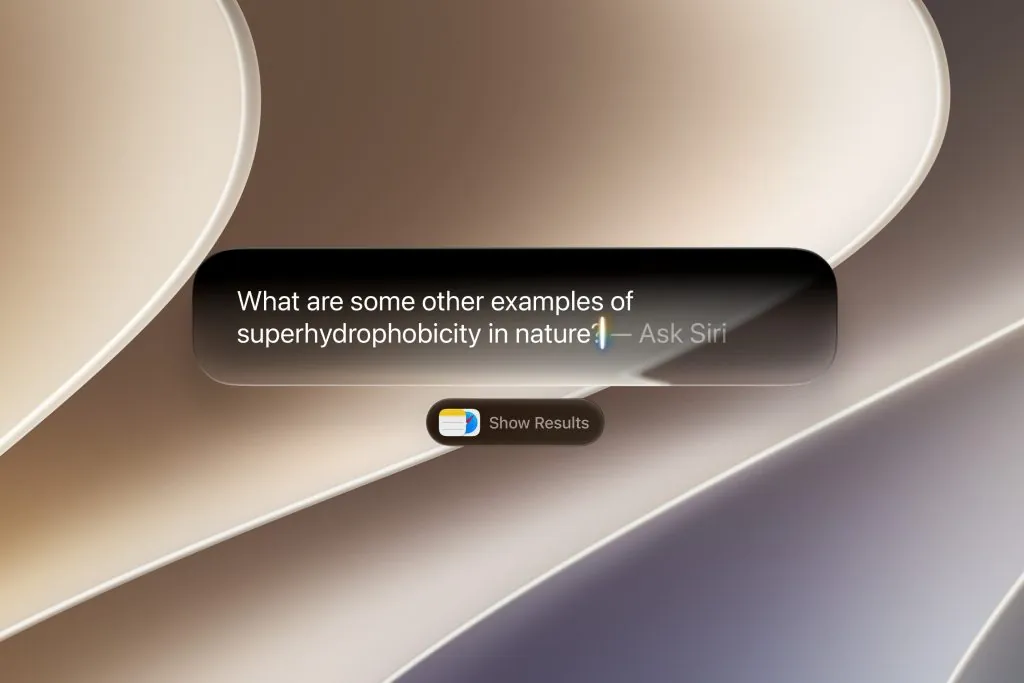
Finally, Siri will actually be useful for searching for information for you. Currently, it can get some basic facts for you, but not much else. Now, Siri seems much more useful for finding and working with information. You can ask related questions after Siri gets information for you, and she can even find research on you based on your email, calendar, and messages.
That combined with the new Siri app where you can review past conversations or start new ones makes it a more useful research starting point.
Having an assistant just a button press or swipe away to help you figure something out could be helpful—at least more helpful than she is now.
Siri, AI, and WWDC 2026 for Writers
As a tech blogger, I felt conflicted watching almost the entire keynote be spent showing off AI features. As a writer, I kind of hate it.
I’m glad I left education before AI really took off. We had a huge issue with kids turning in AI created essays on the last major assignment of my tenure, and I imagine it’s only gotten worse. Kids that become dependent on AI won’t know how to write.
Furthermore, AI was trained on stolen property from writers, and I’m not sure if it has gotten any better. As a writer, it hurts that people create stories with AI when I’ve been working my butt off to create and build.
A presenter said,
“At Apple, we have a deep respect for the craft of photography. And so our goal for bringing AI into the photos app is to help photographers enhance their images in ways that respect the original moment.”
I couldn’t help but laugh—they spent the next few minutes showing off tools that alter photos and generate writing for you.
I do think that many of the applications they showed off on the stage, things like finding data and using it to help answer questions, could really benefit the normal user. It is mostly done on device, it isn’t taking anyone’s jobs, and it is helpful.
But I don’t want AI trying to write or create art.
As a writer, you’ll have to decide what works for you. I’m sad that most of the features for writers this year were tainted with AI, and I think even Apple knows it as they try to hedge their announcements with things like “help you get started” or “we respect the art of photography” type comments.
Still, it will be an interesting future.
How do you feel about these features announced at WWDC 2026 for writers? Will you enable them to help you around your device or are you completely against AI, and the eventual Terminator-like uprising? Let me know in the comments.

Leave a Reply