I hadn’t really wanted to install the iOS 27 or iPadOS 27 betas on my devices. After the WWDC 26, that changed. The whole focus was on system improvements and this new Siri AI version of Apple’s personal assistant—I wanted to try it out as soon as possible. Siri AI especially intrigued me. I wondered if I could actually use it in my writing workflow.
I backed up my devices and pushed the button to download. Once it booted up, I jumped into the waitlist for the new Siri experience and waited. And waited. And waited for two full days before I finally got let in.
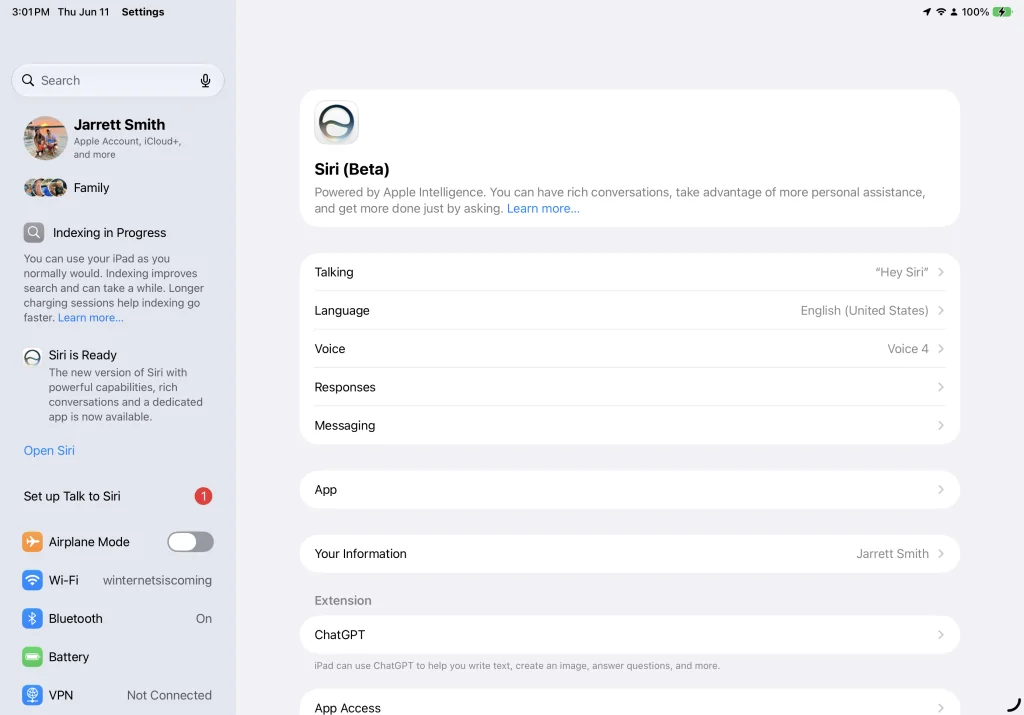
I’ve been playing with the new Siri for a few days now and I wanted to get my Siri AI first impressions out there.
A Better Siri
Siri used to frustrate me constantly. She’d misunderstand requests or bounce me to my iPhone when I was trying to avoid using it. I stopped trusting her. By the time the new beta arrived, I only used Siri on my Watch for timers and alarms—bare minimum stuff.
So, I’m thrilled to announce that this new Siri is a big upgrade.
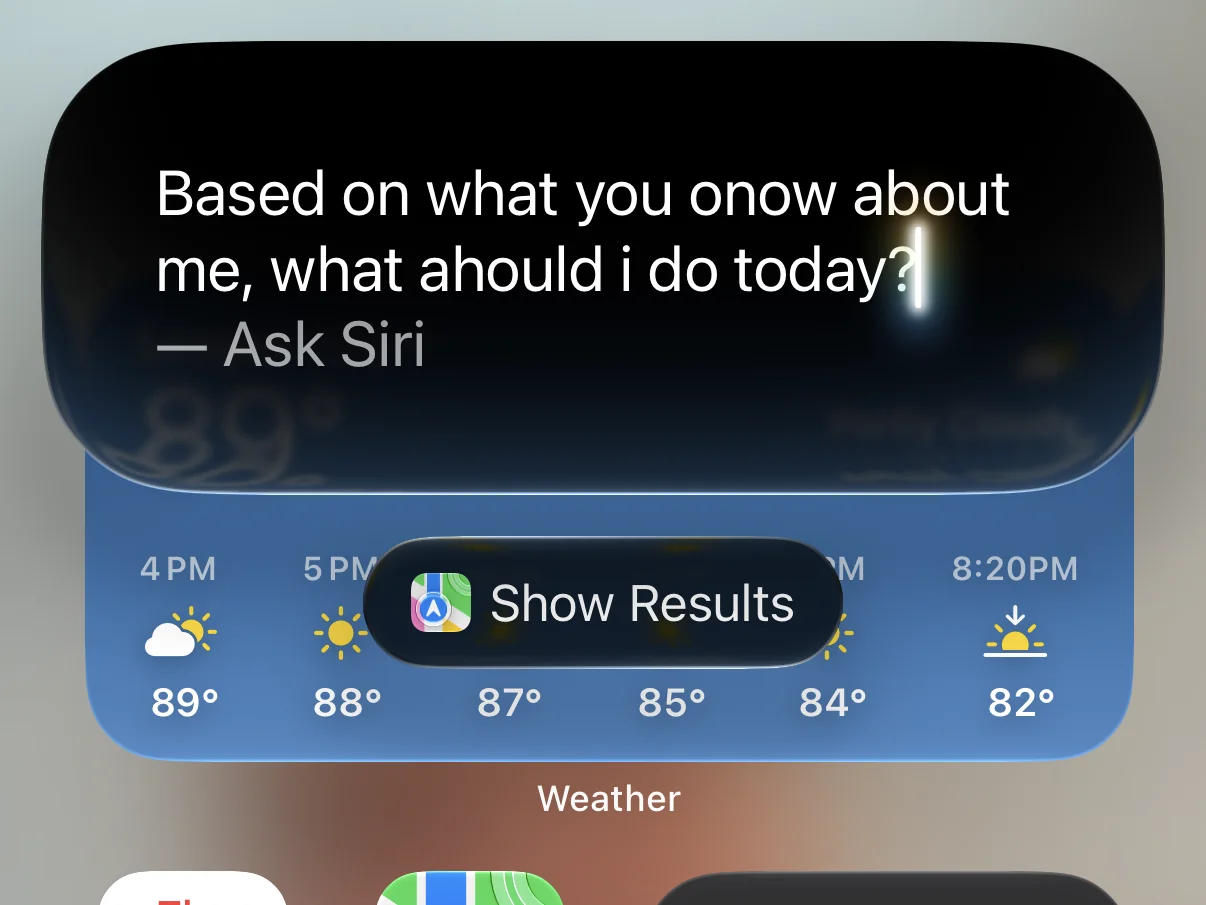
I haven’t had many issues. In fact, Siri has answered every question I’ve thrown at her, without having to bounce me somewhere else.
The new Siri app holds all your conversations so you can reference them. The app even notes when you use Siri to ask a question while using CarPlay.
I will say that most requests do take a little longer to run, but they are more successful than before. Simple things like asking to turn on a smart lamp can still happen quickly, but other questions that require a little more thought will take a moment. I will gladly take the extra wait time versus what we got before.
I also like that on the Mac and iPad, Apple has blended Siri AI with spotlight. Pressing cmd+space will launch the new text prompt that allows you to search your computer for something or ask Siri a question. In practice, it works well. It’s a bit slow to pull answers, but I expect that will improve through the beta cycle.
So far, I haven’t run into a general life question that Siri hasn’t been able to answer.
A Better Sound
Siri has a new voice as well, at least on my iPhone 17 Pro. I didn’t think it would make that big a difference, but I like that the voice sounds more natural—even if it makes me a little uncomfortable with how human it’s becoming.
Do we need our robot helpers to sound human? Siri is expressive and soothing when she speaks, but I would like to be able to tell that I’m talking to a robot and not a human. I just want answers to my questions, I don’t need to think it’s coming from a friend.
Apple showed restraint by building an assistant that isn’t as expressive as others. They know it’s a device used to help, and not a friend. You shouldn’t want to date your AI chatbot, after all. It’s odd that they say that, but then make the device more human.
The AI That Knows You Best
How much Siri knows about me blew me away.
Your iPhone, iPad, and Mac will go through all of your files and tag things about your content like messages and email. When you ask a question, it will be able to go through those tags and use that knowledge to answer a question.
The first night I had access to Siri AI, I took my son to his Martial Arts class. He somehow got to do some extra practice, and I texted my wife about it and why we wouldn’t be home at the usual time.
On our way home, he asked me a question about how long it would take to get from Houston to Singapore. I asked Siri, and she responded with her answer, but my son noticed the new voice.
After explaining she was a new version, he asked what else she could do, and I asked what she knew about my son. It told us about how he would be starting at a new school, that he and his friends made up some words, and that he had done some extra blackbelt training just moments before.
We were both very impressed.
Normally, I might be a little worried about an AI knowing all of that, but Apple processes all of this on your device rather than sending it to a server somewhere. I didn’t feel as worried about it as I might have if ChatGPT knew this information.
Most of the people I’ve seen online that have updated to the beta have also had a notification that their device is indexing and that it could take a while. That indexing is your device learning all about you and figuring out how to best access the information it can use.
By doing so, Siri knows you better than any other system out there. I think that will do more for the normal user than any other use of AI.
Not As Capable As The Others, But That’s Not Its Real Job
I wanted to see what Siri could actually do to help me with my work. I asked Siri to read a story I had in Ulysses and give me feedback. It did an impressive job of providing helpful suggestions and places where I had errors. I’d be happy to use Siri’s help editing a draft.
Update Sept 2026: After the public release of macOS 27, iOS 27, and iPadOS 27 I have written up everything new in Ulysses 41 from new customizations to using Siri AI inside the Ulysses Writing App.
When I asked it to look at my website and find places where I could improve the SEO, it said it couldn’t access my site.
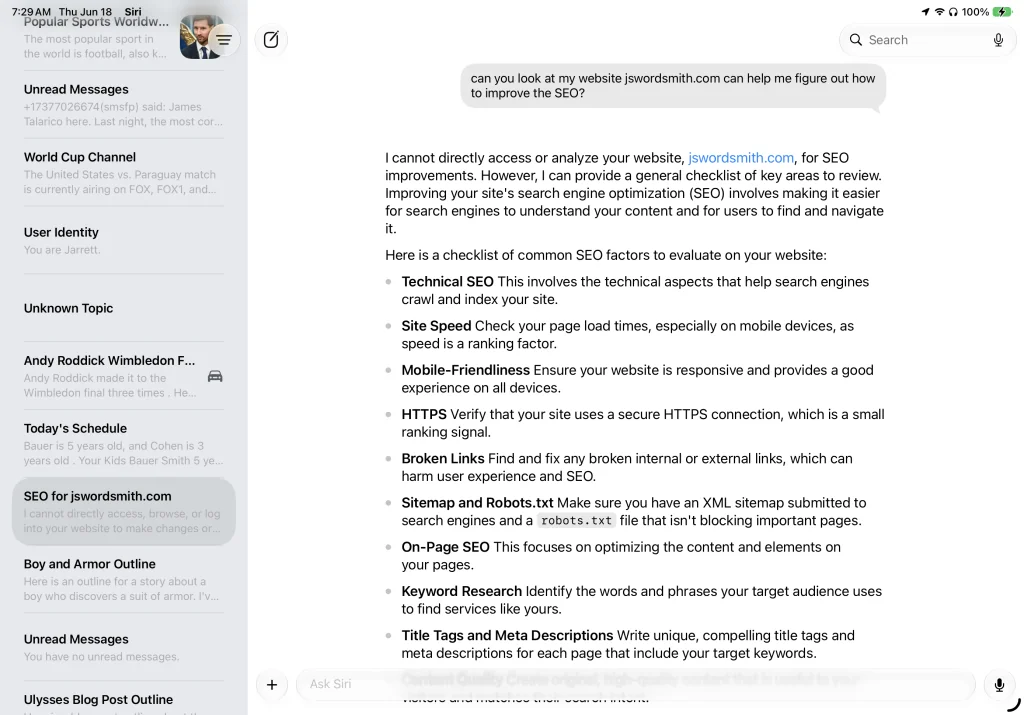
While it was unable to access my site, I could give it a screenshot of my Google Search Console, and it extrapolated the data and gave me suggestions on what to fix. It didn’t have the articles though and had to give me broad suggestions like fix the search description.
Currently, I can ask Claude to do the same thing, and it will not only do it, but suggest specific changes. I have used it to help me figure out things with SEO. Despite taking multiple courses and reading multiple books on SEO, Claude surfaced improvements I didn’t know to look for.
Siri can do much more than ever before, but it’s still behind the other AI agents. Plus, it can’t act on its own yet, like Claude Cowork. I have yet to see Siri make any kind of document for me. I could ask it to create something, but I’d have to copy and paste it over into a file myself.
But there are rumors that this feature is on the roadmap.
Questions About Siri AI
Will Siri AI remain free, or will Apple bundle it into iCloud? Apple mentioned during the keynote that some iCloud+ users will get more usage on image editing, but will that apply to Siri as well?
Will they continue to improve Siri? Apple has a habit of releasing features and letting them stagnate, like the Touch Bar. Siri needs sustained investment, not a headline moment.
Will Siri be able to do more on its own? Could I point it at a folder in my finder and have it organize them? Features like that could really help users tame their systems.
Will developers get access to the systems? Currently, developers can use the on-device models, but they’ll have to have under 2 million app downloads to access Apple’s Private Cloud Compute system. And there’s no word yet on what to do if you’re a developer with an app that has over 2 million downloads.
These questions could shadow what is otherwise a promising launch.
The New Siri AI First Impressions
Overall, I’m impressed with Siri AI. Siri can finally answer questions and feels useful. It knows more about you (in a privacy-focused way) than the other chatbots. I can ask it about that conversation I had with my mom a few weeks ago, and Siri will be able to help.
If you’re looking to upgrade to an iPhone that can support Siri AI, make sure to swing by my iPhone Buyer’s Guide or my iPhone Hub to get the latest news, reviews, tips, and more.
It’s an interesting mix here because Siri AI is not as good at helping me in places where I might need it, but it is so much better at knowing the context of my life. Plus, Siri will come loaded on so many iPhones that people will use it without even knowing that it is AI. That barrier to entry has greatly decreased. I know that after a using my iPhone 17 Pro for a year, I’m excited to see what Siri AI can bring to the device.
These are great first steps for Apple, but I want to see it continue to improve this feature. Currently, Siri AI is a massive improvement that will transform how our devices come to know us, and if Apple stays committed to improving it, could be one of the most meaningful moves Apple has made in years. But I’ve been burned before.
What questions do you have about the new Siri AI? Let me know in the comments and I’ll do my best to answer.
Leave a Reply