The laptop is one of the most important tools in a writer’s life. While some authors might use pen and paper to start, the text will eventually need to end up in digital form.
While there are so many options to choose from, I’ve been using Apple’s MacBooks since 2006, and I’m still always on the lookout for good deals on them. Using my experience and my obsession with Apple tech, I feel like I can help answer that age-old question: Which MacBook is best for writers?
If you’re an author looking to get a new MacBook, I’ve put together this little MacBook buyer’s guide for writers to help you select the best model for you. In this guide, I’ll break down whether most writers should pick the MacBook Air, MacBook Neo, or MacBook Pro and which laptop can best handle your specific workflows, which is not always the most expensive option.
MacBook Comparison At A Glance
| Feature | MacBook Air | MacBook Neo | MacBook Pro |
|---|---|---|---|
| Target Audience | Most authors & creatives | Budget-conscious writers | Content creators & pros |
| Portability | Thin & light (13″ or 15″) | Slightly thicker, same weight | Thickest & heaviest |
| Battery Life | All-day (approx. 18 hrs) | All-day (approx. 18 hrs) | Up to 24 hours |
| Ports | 2x Thunderbolt, MagSafe | Limited | 3x Thunderbolt, HDMI, SDXC |
| Performance | M-Series (Base) | A18 Pro | M-Series (Base/Pro/Max) |
| Starting Price | From $1,299 | From $699 | From $1,999 |
| Recommendation | Best overall value | Buy if on a strict budget | Mostly skip (overkill) |
The Best MacBook For Most Authors: MacBook Air
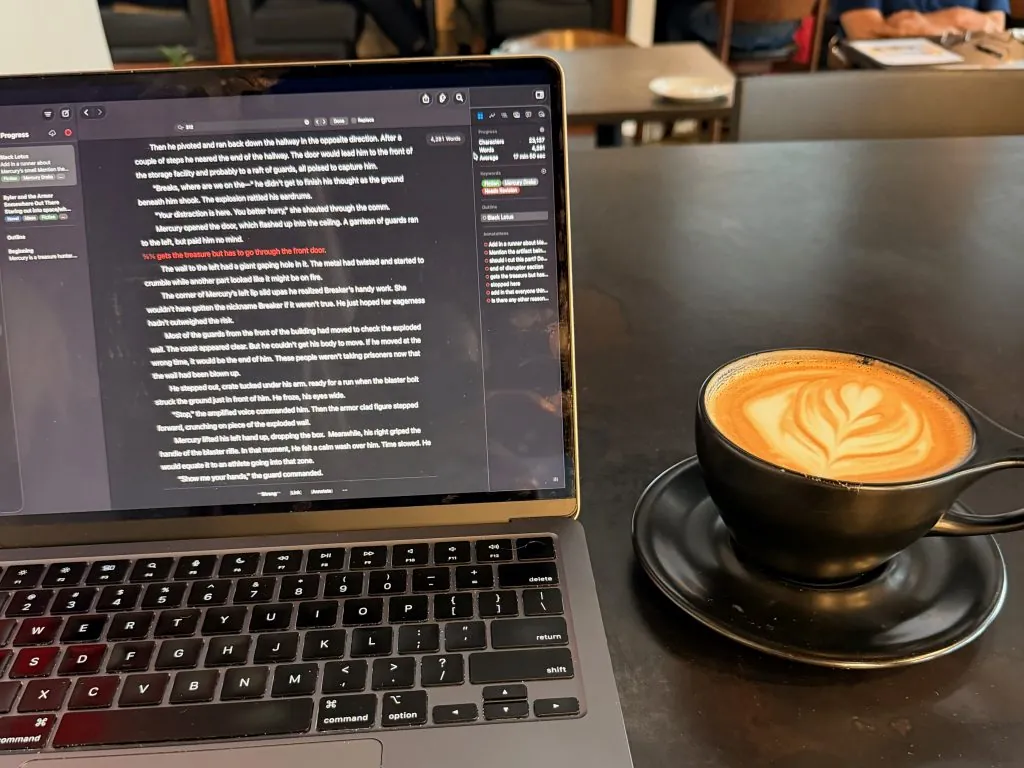
I want to cut to the chase, I think the MacBook Air is the best current model for creatives to get into. It provides the best performance per dollar out of the entire line up.
The MacBook Air is thin and light, so it travels well. It’s one of the devices I usually throw in my writer’s travel bag. The processor on it is plenty fast for nearly every writerly task I’ve thrown at it. Even if I need to do something more than writing, my M2 MacBook Air has been able to handle it all.
The keyboard feels great as I type, although if you prefer a more clicky keyboard with more travel, you’ll need to get an external one. The words flow for me when I write.
The MacBook Air offers two Thunderbolt ports on the left side, as well as a magSafe charging port. The speed of the Thunderbolt will depend on your model, with the newest ones getting Thunderbolt 5. A headphone jack is on the right side. Unfortunately, there are no more ports. In my years of using this model MacBook Air, I haven’t had much of an issue with a port getting blocked while getting used, and MagSafe is so much nicer than having to plug in a charger.

If you prefer a larger workspace you can plug the MacBook Air into a monitor (I use the last generation of Apple Studio Display) you can plug into that and have much larger space.
The biggest question will come down to specs.
When it comes to RAM, I think the current base model has enough for the average user. If you can afford more, get more. More RAM will help the laptop feel speedy, and it can help it last longer too. However, RAM is super expensive right now, so an upgrade could cost you a lot of money, and it might not get delivered as quickly.
As for storage, Apple has recently bumped up the base storage on the MacBook Air line as well. The current system comes with 512 GB, which would be fine for most writers. I’ve been living on 256 GB since I bought my M2 MacBook Air, although space got a little tight. You’ll need to check your needs, but I think most writers will be okay with 512 GB of storage.
Then you’ll also have to decide on size. The Air comes in two sizes, 13-inch and 15-inch. I use the 13-inch size because it gives me the best screen space for travel. However, the 15-inch is still very portable and offers even more screen real estate, for a larger price.
The Air also comes in a few colors, as long as you like shades of grey. There is a darker option, Midnight, that looks very dark and close to black, but the other options can be difficult to tell apart in most lighting. I hope, based on the success of the colorful Neo line, that more colors come to the Air in the future.
The Air offers the best balance for most author’s budgets. It will last longer than its cheaper brother, the MacBook Neo, since it has more RAM and a stronger processor.
Recommendation— Buy with caution — As of writing (August 2026), if you are looking to buy a MacBook Air right now, this is an okay time to buy. However, because there is a global RAM and storage shortage, the prices are higher than they were a few months ago, and the stock is pretty low. I don’t anticipate an update to the line until the Spring of 2027 at best (although Apple could change that plan). I’m not sure the prices will come down any time soon, so if you need one now, I would get one. However, I might suggest looking for a refurbished or older model to save a bit of cash.
Cheapest, But Still Good—MacBook Neo
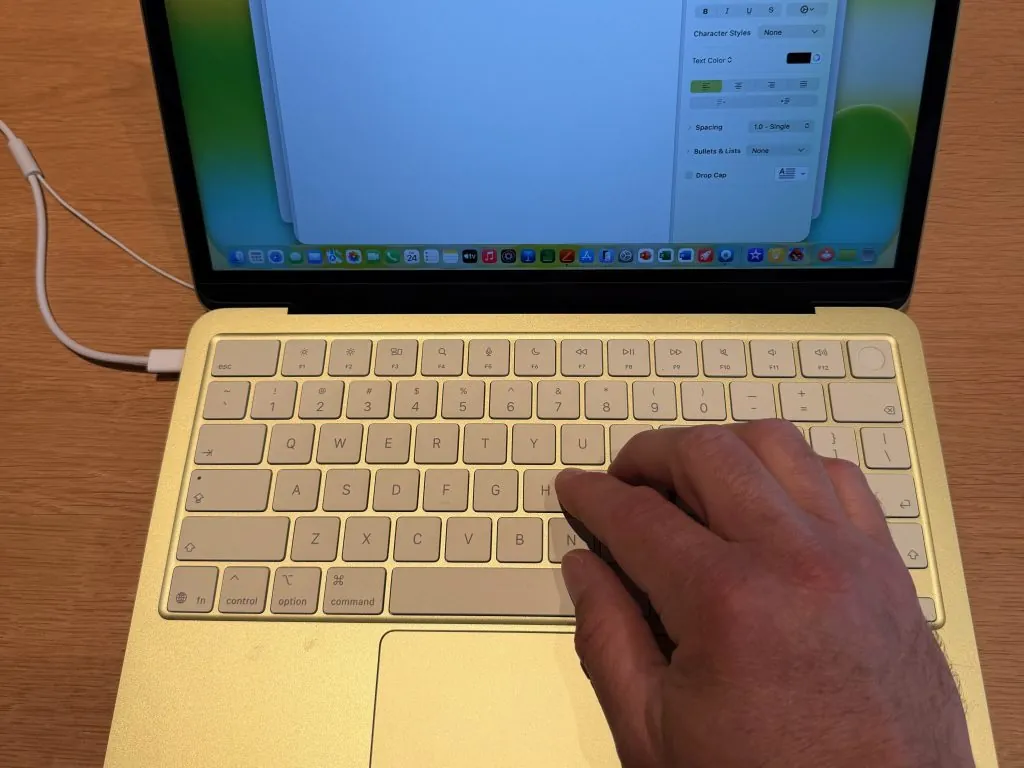
Earlier in the year, I wrote about how cheap it is to get into the Apple ecosystem. However, things happening in the world have driven the cost of the cheapest laptop higher.
Still, if you want the cheapest MacBook, you’ll need to look at the MacBook Neo. The Neo is only slightly thicker than the Air, and ends up weighing the same.
The Neo is powered by an Apple A18 Pro, which started as an iPhone processor, but that doesn’t mean it is a slouch. The Neo will run most writing software with ease and speed.
For memory, You will be limited to 8 GB of RAM on the Neo, with no option for more. That will limit the Neo more than the processor. My M2 MacBook Air only has 8 GB of RAM, and have run into some slowdowns because of it. That doesn’t mean that the Neo is bad. It will still do anything you throw at it, it just might not be as speedy as its Air counterpart.
The screen also isn’t as good as the MacBook Air or MacBook Pro. It will get as bright as the Air, but it doesn’t have the same color gamut as the Air. If you are writing and doing artistic work, you might want to bump up to the Air if you can, just for the P3 color spectrum. Otherwise, the screens are on par.
The Neo comes in more fun colors than the Air or Pro. I really love the Indigo option, but the Citrus color is also fun. If you want a pink laptop, this will also be the only one you can purchase right now.

Recommendation—Buy if you need to save money Honestly, if a MacBook Air is too expensive, I think using a Neo to write will be a great choice. It was just released this spring, so there might be a new one coming next spring, but we also don’t have any history to pull from to determine if there will be a new one. If you can pay the extra money, I would get the high specced system, which has a bigger storage drive and a TouchID sensor.
The Best MacBook For Content Creators Or Those Who Need More Ports-MacBook Pro
I don’t recommend the MacBook Pro for writers. The MacBook Pro is the powerhouse of the MacBook lineup, but it is overkill for what most authors need.
The MacBook Pro comes in a few different processor configurations, unlike the Air or Neo. Where the Air and Neo are slim and quiet, the Pro is larger, partially because it includes a fan to cool the processor. That means the Pro doesn’t get as hot and can do longer processing. However, that’s really only good for encoding audio or video. Writing doesn’t involve anything with a sustained load (unless you use Microsoft Word 😜).
The MacBook Pro is the thickest and heaviest of Apple’s laptops, so portability becomes a bit of a question. Part of that comes with a larger battery. The Pro can get up to 24 hours of runtime on a battery, 6 hours more than an Air or Neo. That said, the all-day battery life of the Air has been plenty for me.
The Pro does offer a larger screen than any other MacBook as well. Not only is there extra screen space, but it is also the best. It offers a wide color gamut and ProMotion—an adaptive refresh rate. Scrolling around on the Pro feels much smoother than the other laptops because the system can ratchet up the refresh rate. It looks impressive, but that tech doesn’t benefit writers much because the screen doesn’t change often.
The Pro does have a few extra ports. It has two Thunderbolt ports on the left side, near the MagSafe power plug, and there is an additional Thunderbolt/USB-C port on the right side. It also includes an HDMI port and an SDXC card slot. If you need to plug into a monitor that is not Thunderbolt/USB and you would rather not have to buy a dongle, the Pro is the only Apple laptop that offers that port. Similarly, if you do some photography on the side of your writing, you might look at the Pro.
The fan on the processors and that more powerful alternative processor (the Pro and Max chips) means a MacBook Pro can last a few more years than a MacBook Air, but both should last years.
Recommendation—Mostly Skip For a writer, this laptop is not only expensive, but also overkill. However, if you do more than write, like make videos or need ports, it’s not a bad deal. Honestly, the screen on the Pro tempts me to switch, but I can’t justify it for that.
Ways to Save on MacBooks
As I’ve mentioned a few times here, the fall of 2026 is one of the worst times to be buying electronics that I’ve ever seen. Prices have jumped up and supply is low. People are holding on to the systems they have, while others are trying to make a profit off secondhand.
Still, there are ways to save when looking to buy a MacBook. Here are a couple of options to look at to help you save.
Education Discount
If you’d like to buy a new product, but would also like to find a good deal, students and teachers can save some if you buy through the educational store on Apple.com. You can sometimes find better deals on 3rd-party sites like Amazon, but the educational deals are always there on Apple.
Plus, Apple will be running its back-to-school sale, that also nets you a gift card when you purchase a new MacBook. The gift card amount varies by the device you choose as well. This is meant to help you buy an accessory, but I was able to apply the gift card amount to my MacBook purchase when I did it years ago.
Refurb Store
I’m a huge fan of the refurb store. Apple sells discounted devices that have been returned or exchanged. The devices have been examined and fixed where needed, plus they come with the standard Apple warranty and the ability to add Apple Care if you’d like.
Most of my Macs came from the Refurb store, and I’ve never had an issue with them. My only current problem is that you can’t trade in a current device for the price of a refurb purchase.
Older Models
You can also find older models at retailers online. Apple Silicon works so well that I think these M versions will last a long time. I wouldn’t hesitate to purchase an older version if it will save you money. I will say that I would try purchasing one with enough RAM. An M2 with more RAM will still be a great device. Mine with 8 GB of RAM still runs great, three years later, although I do hit a slowdown every once in a while.
Apple Upgrade Program
There is also the newly created Apple Upgrade program. I’m not a huge fan of this system yet, although I can see the benefit. With this program, users will lease their MacBook from Apple for a low monthly cost for a designated amount of time (two or three years). At the end of that contract you can pay the remaining balance, trade in for a new device, or return the device. So, unless you pay that large lump sum at the end, you never actually own the device.
Apple Care
I get asked if users should buy AppleCare for a laptop. I don’t get AppleCare on my Macs and haven’t ever had an issue with them. But if you feel like you might break yours, I would recommend getting it.
When I do get it, I like buying the annual coverage so that I’m not paying every month for it. If you have multiple devices that you have coverage on, it might be a benefit to get AppleCare One.
Each user will need to look at their budget and needs. If your MacBook stays on a desk most of the time, I think you can skip the purchase.
Best MacBook For Writers and You
The MacBook line is honestly better than it has ever been. There is a range of options, including the cost-effective one, all the way to the powerhouse that is the MacBook Pro.
The MacBook Air has the best sweet spot for most creatives, though. While it doesn’t have the same power as the MacBook Pro, it will still do everything the Pro can do. You might just have to wait longer for something to compile or add a dongle. But if writing and daily life are all you require, the Air will do it all and last a long time.
Hopefully, Apple brings more colors to the lineup soon.
Make sure to swing by my Mac hub to see more guides and articles about MacBooks and Macs in general. If you’re a writer, you can also check out my Writing Hub to get some tips, guides, and exercises to use on your new MacBook.


Leave a Reply