With the launch of the iPhone Duo this week, my favorite writing app updated right along with it.
The best writing app now features a native iPhone Duo experience, and some quality-of-life improvements for all iPhone and iPad users as well.
Here’s everything new in the Ulysses writing app with version 42.
Ulysses Writing App Is Native To iPhone Duo
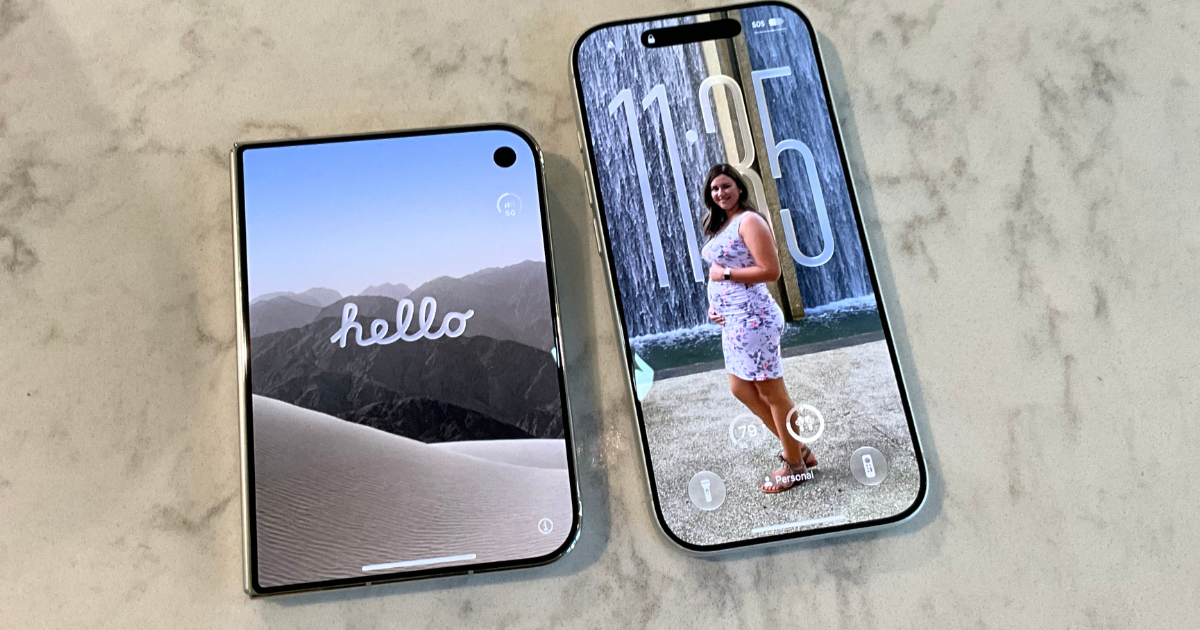
The Ulysses iPhone Duo app is one of the best writing tools for iOS 27.2 and Apple’s new foldable.
Apps that haven’t been compiled for iOS 27 run in a giant black box on the Duo. Of course, you can expand that box, but there’s still a ton of wasted room.
Apps written for iOS 27 but not for the iPhone Duo fare a bit better. iOS 27 apps are scalable and will fill most of the screen, but not all of it. The navigation hasn’t been moved to the right side of the screen, so buttons might be more difficult to hit or just show an empty black bar. These apps are totally usable, but not efficient with their screen use.
There are also Duo-optimized apps, which include Ulysses. These take up the entire screen and have the navigation on the side, saving that screen space for the app.
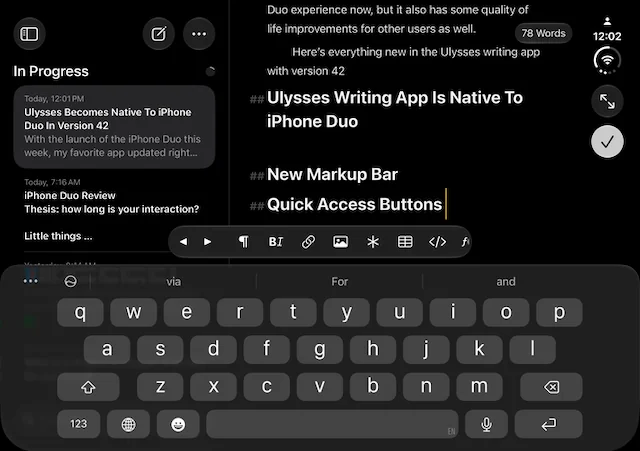
Ulysses is a native Duo app, so the app makes great use of the screen real estate for dual-screen productivity. If you have it full screen, and you’re holding it in portrait, the entire view will be taken up by your text. If you rotate it to hold horizontally, you’ll get column view where you can view your library. When in this orientation, it can also do two apps split screen, which can be handy when getting information from somewhere else.
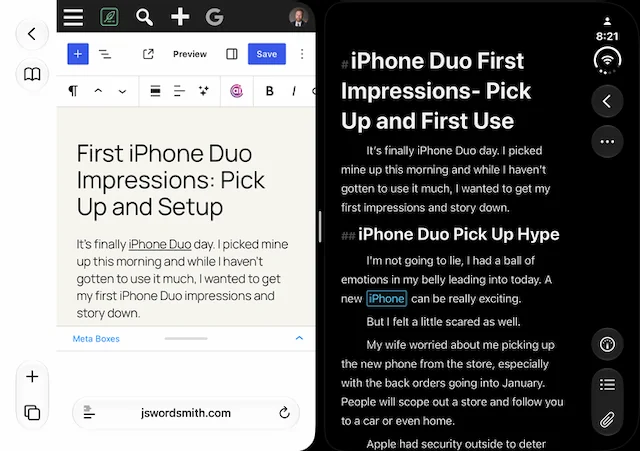
I spent a lot of time in the Ulysses app on my Duo and it works great.
New Markup Bar
Ulysses changed up the markup toolbar. It comes up when you’re working in a sheet—although I’ve had some issues with it not showing up at all until I rotate my device a few times. I’m not sure if that’s just a quirk of using the still-in-progress iPhone Duo software or the new Ulysses app, but I’m sure it will be squashed soon.


The toolbar is now scrollable. This allows the app to get away from lists. I frequently had issues remembering which button had the markup I needed, so I’m grateful for this change. Now, all the buttons are on this toolbar; you simply swipe through them to find the one you require. Some buttons like headings, will still pop up with more options like H2 or H3, but they are easier to get to than before.
They also added a left and right button, which will be helpful for those people who are brave enough to edit on an iPhone, even one as large as the iPhone Duo.
Quick Access Buttons
Ulysses has quick access buttons for outline, annotations, and attachments in the editor, but only if your current sheet has that. Now, you won’t have to open the dashboard to get access to those features. They will only be a press away.
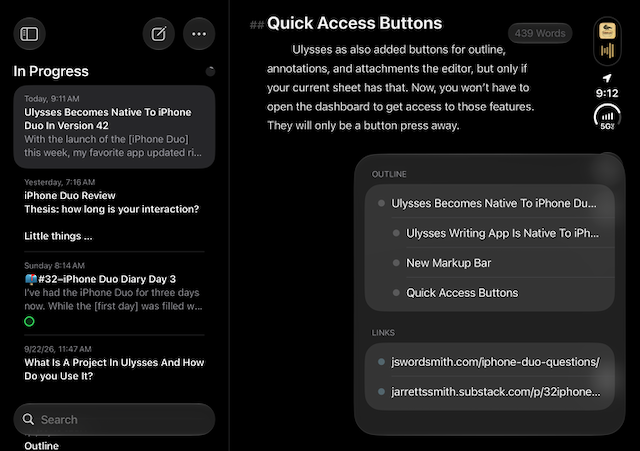
Those options don’t show up when you’re typing in the editor. You’ll need to get out of editing mode to see them.
Of course, the Duo allows you to have the dashboard as you type when the iPhone is held horizontally, but it gets harder to type that way with the full keyboard. I think a good keyboard and kickstand could make this a pretty great on-the-go setup, though.
Ulysses For The iPhone Duo Rocks
I love that my favorite writing app has updated to be on this front line of iPhone Duo apps. I wrote most of my first impressions of the iPhone Duo using this latest version. It was great to have the larger screen on my device while I was typing, and the scrolling Markup Bar helped me speed through stylistic changes.
I’m excited to see where developers take their apps for the Duo as we figure out this new era. If you’re looking for a rock-solid writing app that works across the Apple ecosystem, make sure you check out Ulysses. Clicking my link can save you 25% off your first year’s subscription.
If you’d like to see more Ulysses content, make sure you click over to my Ultimate Ulysses Guide. You can learn how to use the app or see how I use Ulysses for writing my blog post, fiction, and more.
If you’d like to see more of my iPhone Duo content, make sure you’re signed up for my weekly newsletter. I’ll be sending out my first week impressions and other odds and ends this Sunday. Also, swing by my iPhone Hub to check out all my iPhone reviews, guides, tips, and opinions, especially in this iPhone Duo era.
Do you have a favorite writing app that’s been updated for the iPhone Duo? Please let me know in the comments.
Leave a Reply