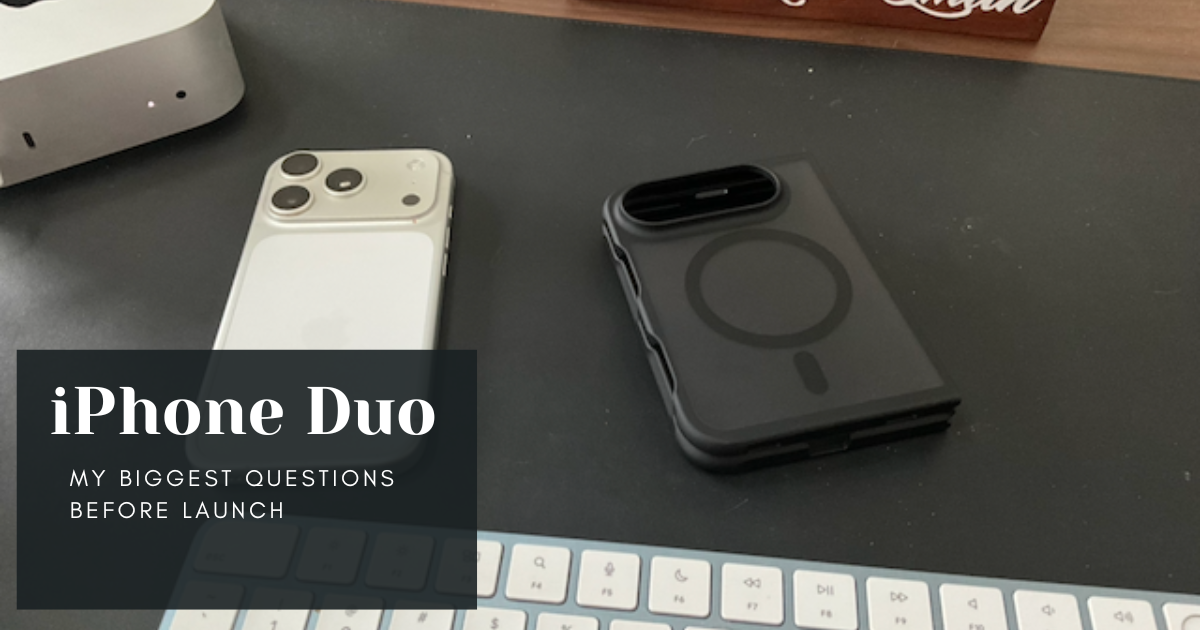
I must have won the lottery. Friday, I somehow managed to purchase an iPhone Duo for pickup on launch day, despite both my kids waking up before preorders started.
Later that day at Chick-fil-A, I got a free sandwich and ice cream. Saturday, fall finally came through Houston and the weather is beautiful. I guess I had lots of good karma coming my way.
I realize how lucky I am as everyone has struggled to get one before January 2027. However, I’m not even sure I’m going to keep the thing.
I have some questions before I end up keeping the iPhone Duo, and they might not be what you think.
iPhone Duo Form Factor: Size and Usability
My top questions are about the foldable iPhone form factor. I need to know how this thing feels in the hand and how often I’ll actually open it up.
For the longest time, I used the largest iPhone possible. It wasn’t until my current iPhone 17 Pro that I wanted to go smaller because it felt better to type on when held horizontally.
As I type this, I’m sitting on my lawn outside. My kids are down the street playing and the dog is hanging out with me. There was a moment of quiet, so I wanted to get some planning and writing done because the upcoming weeks feel like they will be very busy.
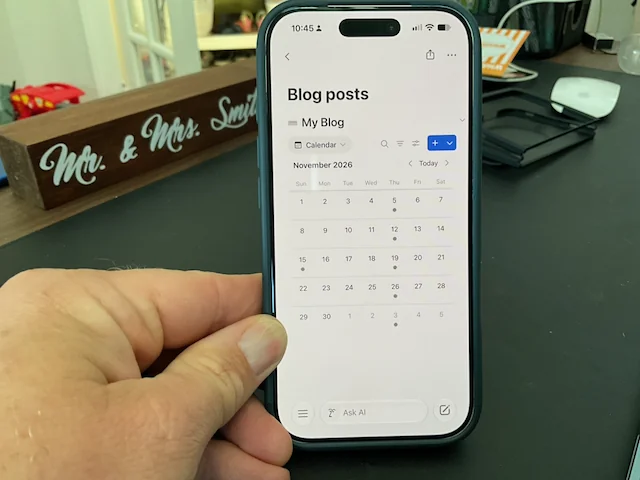
I pulled out my iPhone and looked at my writing calendar in Notion. I manage my writing calendar and ideas here to maintain a clear plan for my content. But looking at that calendar and what I have scheduled on the iPhone felt tight. At that moment, I wanted my iPad, so I could look at what I had planned on a bigger screen and maybe even drag things around.
Will the iPhone Duo allow me to have more screen space to do more things when I need it? I’m not asking my iPhone to become a Mac, but I wonder if it will allow me to do more when I need to see more. Having the larger screen will help me when I don’t want to bring attention to myself getting a larger device.
I’ve been searching for the most comfortable way to type on an iPhone for a long time. I upgraded to the iPhone 17 Pro to downsize so that I could type more comfortably than I did on the iPhone 16 Plus. While I’ve loved the size overall, typing on the iPhone 17 Pro can still be problematic. So, I’m hoping that the wider base of the iPhone Duo will improve this even more.
It seems like the form factor could be the best thing for me. I can get the smaller but wider screen that can slip in someone’s pocket, but it can also flip open to offer the largest iPhone screen ever.
I will be interested to see just how much I do open the iPhone Duo and use the larger screen—at least past the first few days.
iPhone Duo Apps: What to Expect at Launch
Part of the reason I’m so excited about the iPhone Duo is because it changes up the iPhone formula. That hasn’t happened in a long time and the iPhone had started to feel a little stale.
I’m not the only one that feels that way, as my Threads feed has been littered with developers trying to figure out the right code for the iPhone Duo in near real time. I’m eager to see what developers will come up with.
A few developers have reached out to me to test their apps for the Duo, and I’m exhilarated to dive in and give real feedback to them and you. Already, some things these developers have come up with is astounding.
I’ve already found a few apps, whose developer has updated them for the Duo. I can’t wait to try them out on the folding screen. A developer asked me to test his game Blackbox once I get the Duo. Blackbox is such a crazy original game. You try to solve puzzles without touching the screen. So, you’ll tilt your device or push buttons on it to solve each level. I can’t wait to see what the puzzles are like on the Duo.
I’ve also found journeybot, which is a smart packing list app for your travels. While it doesn’t do anything particularly novel on the Duo, I’m excited to see how it scales for the larger device.
I’m worried about some of my writing apps. I’m sure once the device comes out the developers will do so much more with it. For now, I don’t know what Ulysses has planned. I would love it if they update the iOS app to allow some column views. Having the columns would greatly help get around the app library, especially if you use your library as a kanban board like I do.
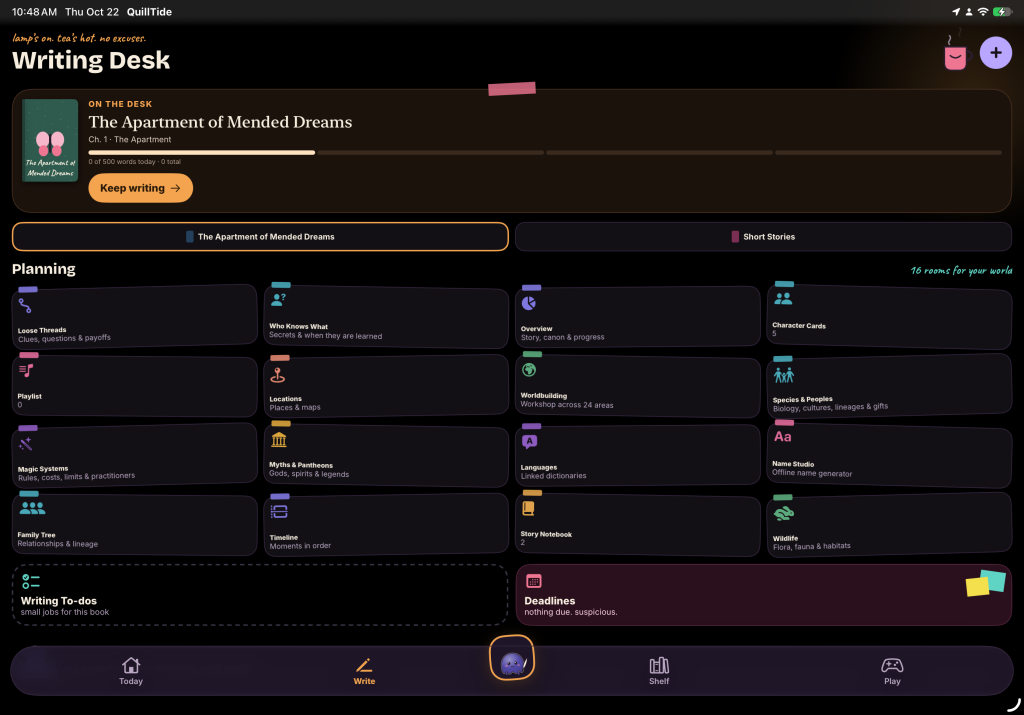
I’ve also recently discovered Quilltides for writing a novel. The developer sends out new features almost daily, so I can’t wait to see what he can come up with there as well. Even if it’s just an optimized view for the folding iPhone. This app is so packed with features for planning, writing, and connecting it would be nice to allow it to spread out for the larger screen.
But I expect many apps won’t be optimized right away, and why should they? This is a new device, and it hasn’t proven a money-maker for developers yet. I would imagine apps will slowly get updated for the new screen size, similar to when the iPhone X came out. I think it might be difficult to gauge things in these first two weeks since it might take months to develop into a killer system. In fact, most reviewers seem to be knocking the app story on the iPhone Duo, even though the device hasn’t launched yet. Most developers are probably targeting an app update for it closer to launch.
If you have a fun app to try out on the iPhone Duo, I’d love to help you get it out there. Let’s connect, especially if it’s a writing app.
iPhone Duo Hardware: Missing Face ID and Telephoto Lens
The iPhone Duo is going to come with some limitations on features that worry me. The iPhone Duo won’t have the telephoto camera lens, any of the LiDAR sensors, the action button, nor Face ID.
The action button on my iPhone 17 Pro never gets used, so I doubt that will affect me much.

I don’t remember hurting for the telephoto lens when I used the iPhone 16 Plus, but it has been so nice having it on the 17 Pro. I’m going to be a little worried that I’ll need it more than I think I do. One of the reasons I updated to the 17 Pro was the telephoto and the LiDAR scanners. I have used the LiDAR scanner a few times since I got the phone, but I haven’t used it that much. I won’t be able to measure my kids quickly, but I do have a tape measure—although the kids always steal it when it comes out.
Face ID might be the biggest pain point. I don’t mind Touch ID on my MacBook or Mac mini, but I don’t like it that much on my kids’ iPads. It fails all the time, but I wonder if that’s because I only have my touch programmed in. I will have to see how it feels.
But I know that you can also have the Apple Watch help authenticate you into your iPhone, so will it even matter that much?
I’ll have to see. I’m not planning on trading my iPhone 17 Pro in right away so that I can see if these are issues.
Will the iPhone Duo Replace the iPad?
I’ll be looking to see if the iPhone Duo will replace my iPad usage as well.
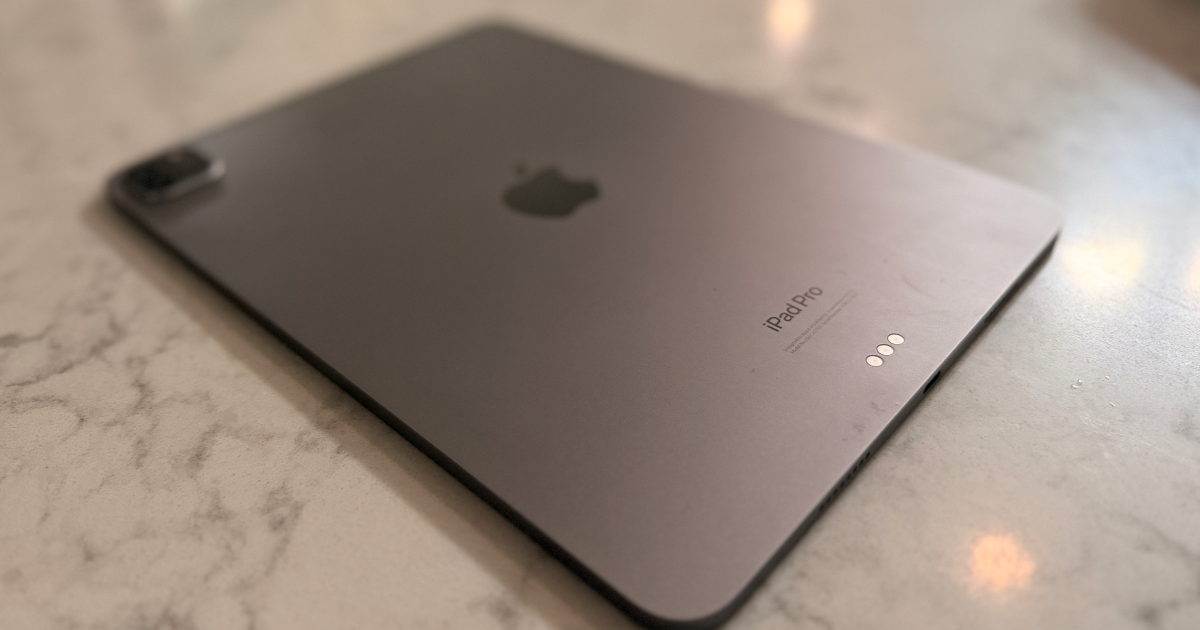
I currently use my M2 iPad Pro for reading daily and as a travel device, but as I wrote in my newsletter last week, I haven’t taken my iPad on my last couple of trips. If the Duo becomes a great reading device, it might replace my iPad completely.
I’m sad to even be writing those words. For the longest time, the iPad was my main device. My 2018 iPad Pro went with me everywhere. But if I can take my iPhone with me and have it unfold into a competent tablet, I can streamline to fewer devices.
I do hope that this causes Apple to really look at the iPad and help it grow. It could use a renaissance, just like the Mac experienced when Apple Silicon came out.
Best iPhone Duo Accessories: Cases and Keyboards
Finally, I would truly love to dive into the iPhone Duo accessory scene. I’m already debating on if I’m even going to use a case on my Duo (I’m getting AppleCare of iPhone Duo, calm down), but I would love to see what gets out there.

If I get a case, I would get one that has a kickstand. On my travels, my neck started to hurt, and I just watched videos holding my iPhone 17 Pro. It would be nice to prop it up on the tray table so I can watch. I really like this case from Pitaka, but I don’t think I want to spend $100 on a basic case with no kickstand.
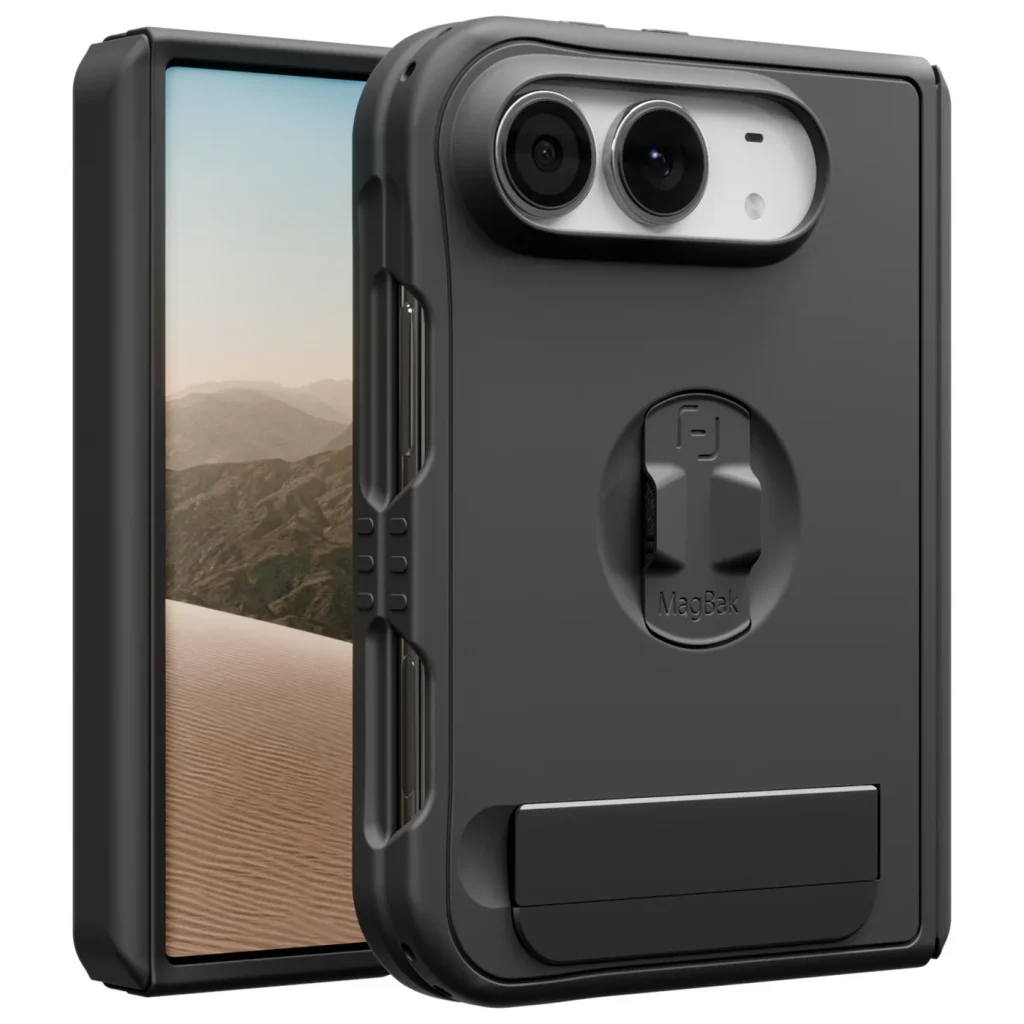
In theory, this MagBak case looks like a winner. It provides protection, has a finger loop plus a kickstand. You can even add a pop of color to the strap. However, it looks boring.
Beyond cases, I want to see what else is coming. Is there a good folding keyboard that I could throw in my bag for those moments when I need to get some work done? I know it will work if I plug it into a monitor, but can I pair a pointing device to it? That would be spectacular.
Are there things that I haven’t even thought of yet? I feel like Apple has done an impressive job of getting everyone interested in it, especially now that they seem hard to get.
And of course, if you’re an accessory maker and want to get some real hands-on with your newest tech, let’s connect!
Final Thoughts: Is the iPhone Duo Worth It?
Heading into this new iPhone, I have more questions than I realized—which is exciting. The iPhone Duo has a lot to do to prove its place in my workflow, but I’m already excited by it. However, will it do enough to warrant the price? That’s the biggest question.
I pick my iPhone Duo up Friday morning. I’m planning to take as many pictures as I can during my pickup at the Apple Store and post them to my Instagram and Threads accounts. If you’d like to see those, make sure you follow me there.
I will get some quick first-day impressions here on the site by Friday evening. Then, I’ll write some deeper impressions of the iPhone Duo for my newsletter Sunday. So, make sure you’re subscribed to get those sent right to your inbox.
Do you have any questions you’d like me to answer as I get my hands on the device? Let me know in the comments.
Leave a Reply